Capturing Coachella

Understandably, Coachella and YouTube don't make it easy to capture and save their live broadcast streams. But it's not impossible.
The first thing you'll note is that posts of the saved livestream get removed pretty much immediately. I have a personal Plex server that doesn't have external access, so consider this to be a purely personal exercise. With that out of the way...
There are currently "download savers" that can capture the live stream and save it to your hard drive. I've been a happy, licensed user of VDH for years. This route totally works if you're watching the stream live and the thing you want to capture is what's on right now. Some scripts/apps have issue with the URL format that YouTube uses for live streams /live/some-video-id but if you convert that to a traditional /watch?v=some-video-id you should be fine.
The problem is if you want to "go back in time" and capture from the beginning of the stream. For that you have to get a bit creative, and you'll need a fair amount of hard drive space. For me, I had a Raspberry Pi 5 where I had about 100GB free. In that RPi5 terminal, I cloned this repo and copied over the cookie from my laptop's browser. Then I just ran the capture Python scripts.
python3 youtube_stream_capture.py <some-youtube-url> --cookie-file cookies.txt
python3 merge.py <some-youtube-url>
This left me with about forty thousand audio and video segments. From here I had to combine some shell- and ffmpeg-fu.
for i in `ls *_audio.ts | sort -V`; do echo "file '$i'"; done >> audio_ts.txt
ffmpeg -f concat -i audio_ts.txt -c copy audio.ts
for i in `ls *_video.ts | sort -V`; do echo "file '$i'"; done >> video_ts.txt
ffmpeg -f concat -i video_ts.txt -c copy video.ts
Now I just had to mux the audio and video together.
ffmpeg -i video.ts -i audio.ts -c:v copy -c:a copy merged.mp4
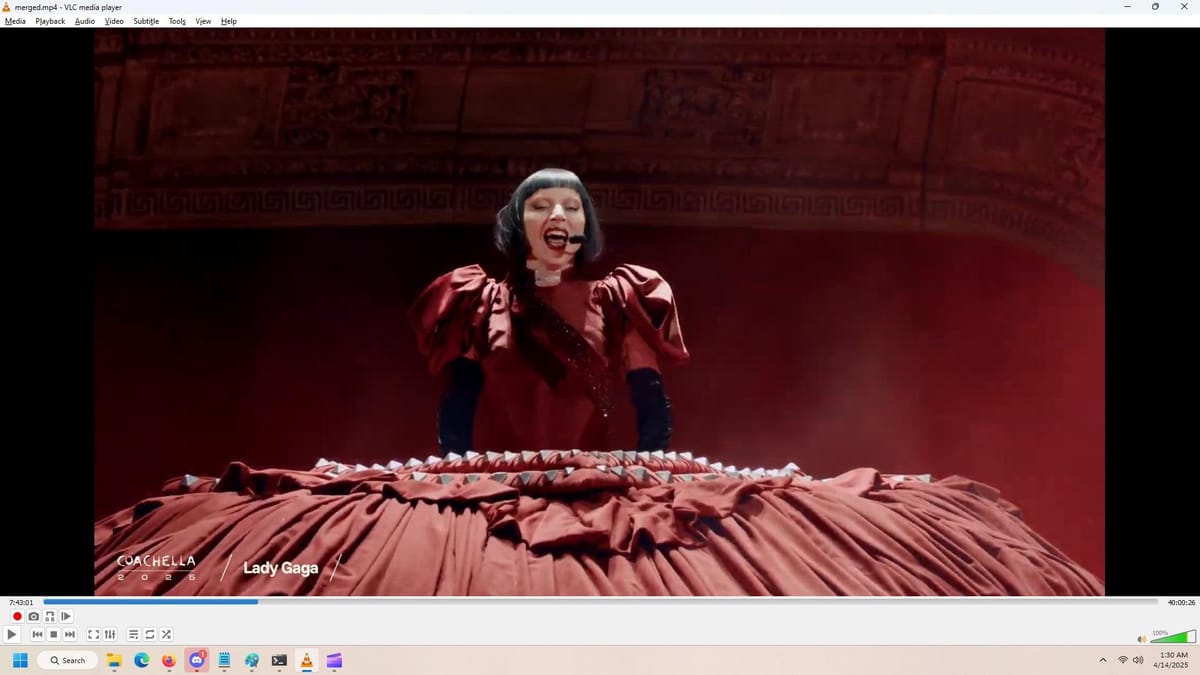
The output is a fully merged, watchable local copy of the stream that you see in the screenshot. However, this was the entire stream, meaning that it spanned multiple hours of Coachella, including a lot of the dead air.
There's not a great way to snippet exactly what I was looking for; the simplest I found was just to use VLC's "record" function.
The entire process is very space-inefficient, but that's to be expected when attempting to save a 1080p stream. But I'm pretty happy with the end result: I can go back and enjoy Lady Gaga's performance long after Coachella's YouTube channel pulls it off the air.